
Publish and share
Publish a Keboola app and share it with your team or external users.
Once your app is ready, publish it and share the link with the people who need it.
Publish the app
Section titled “Publish the app”An app is “published” once it’s deployed and reachable at its URL, with the right people able to open it:
-
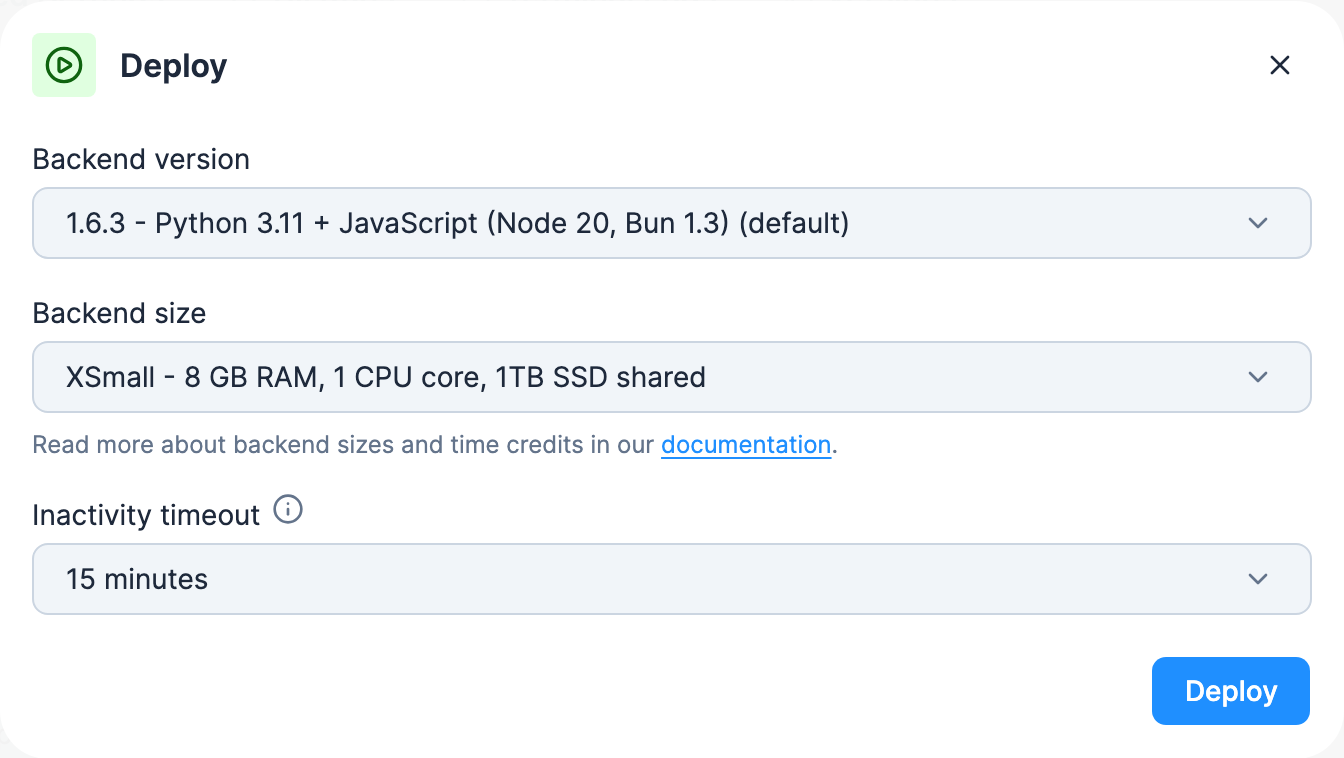
Deploy the app. From the app’s configuration, click Deploy. A short wizard asks for the backend version, the backend size (not on pay-as-you-go projects) and an inactivity timeout; click Deploy in the wizard, and once the status turns Active, the app is served at its public URL. See App actions.
-
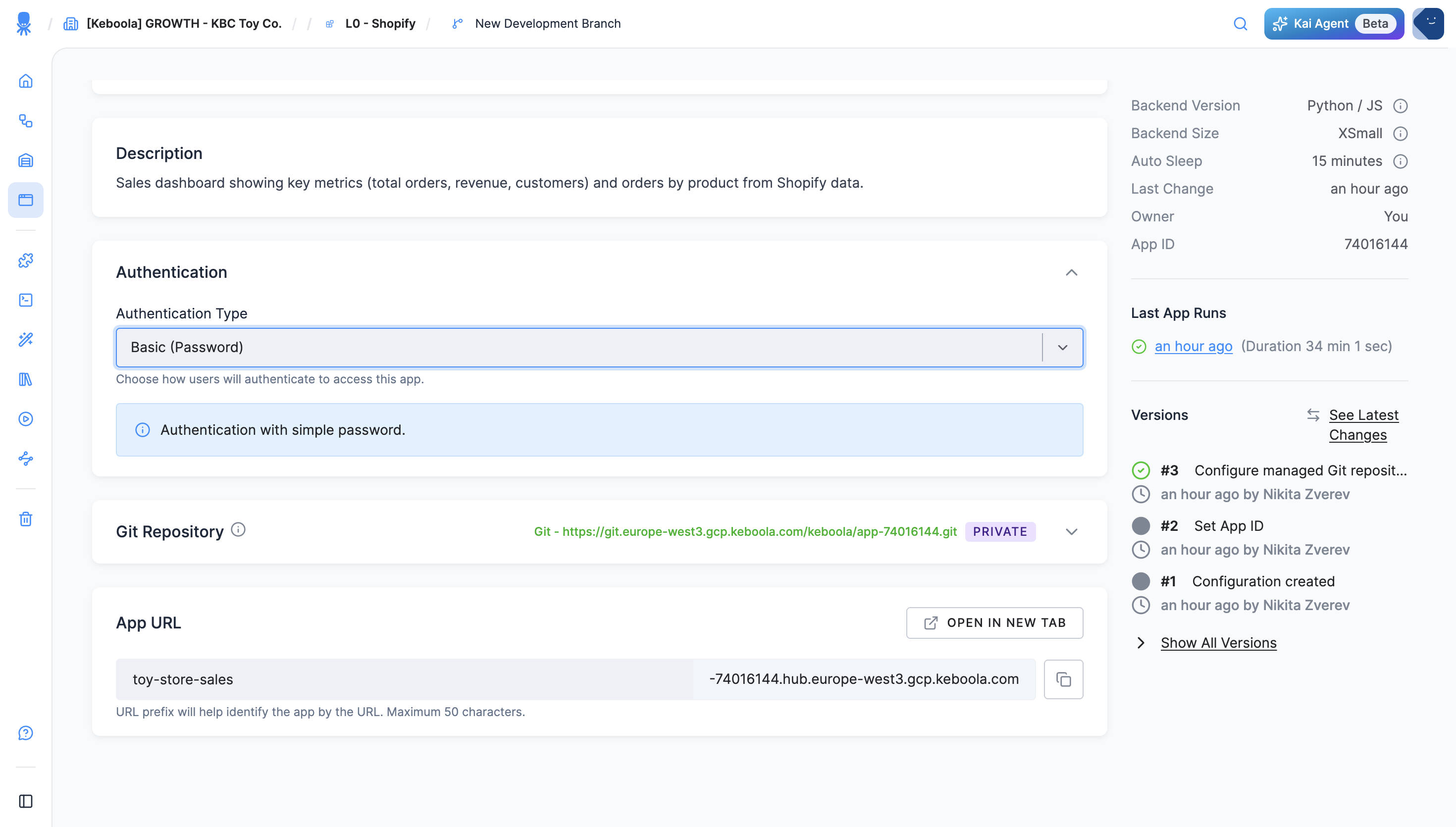
Set authentication. Choose who can open it — a shared password, SSO, GitHub, and more. See Authentication.
-
Share the URL. Anyone who passes the app’s authentication can open it.
Share with your team
Section titled “Share with your team”Share the app URL — found on the app’s Overview tab (the App URL block, with a copy button and Open in new tab). Anyone who passes the app’s authentication can open it — control that with Authentication.
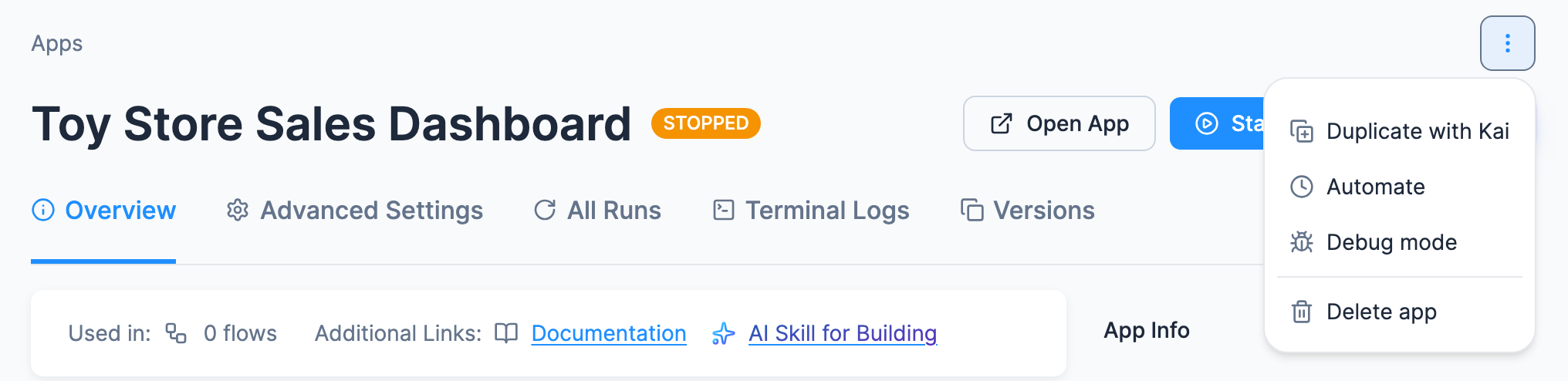
Manage a deployed app
Section titled “Manage a deployed app”From the app’s header you can click Open and Start or Redeploy, depending on its state, and Edit with Kai on a Python/JS app with a Keboola-managed repository if you can edit the app and Kai can build apps in the project. The ⋮ (More actions) menu holds the rest: Duplicate with Kai (Duplicate on apps without a Keboola-managed repository), Automate (start it on a schedule), Debug mode and Delete app, plus Pause app while the app is running. Operate and update an app walks through each one.